Wifi Router
Overview
Set Admin password
Set admin password to the one document in Bitwarden collection Robot Hackathon item Wifi router admin access.
Firmware update
Update your router to latest firmware version.
Network configuration
Configure network at Network -> LAN
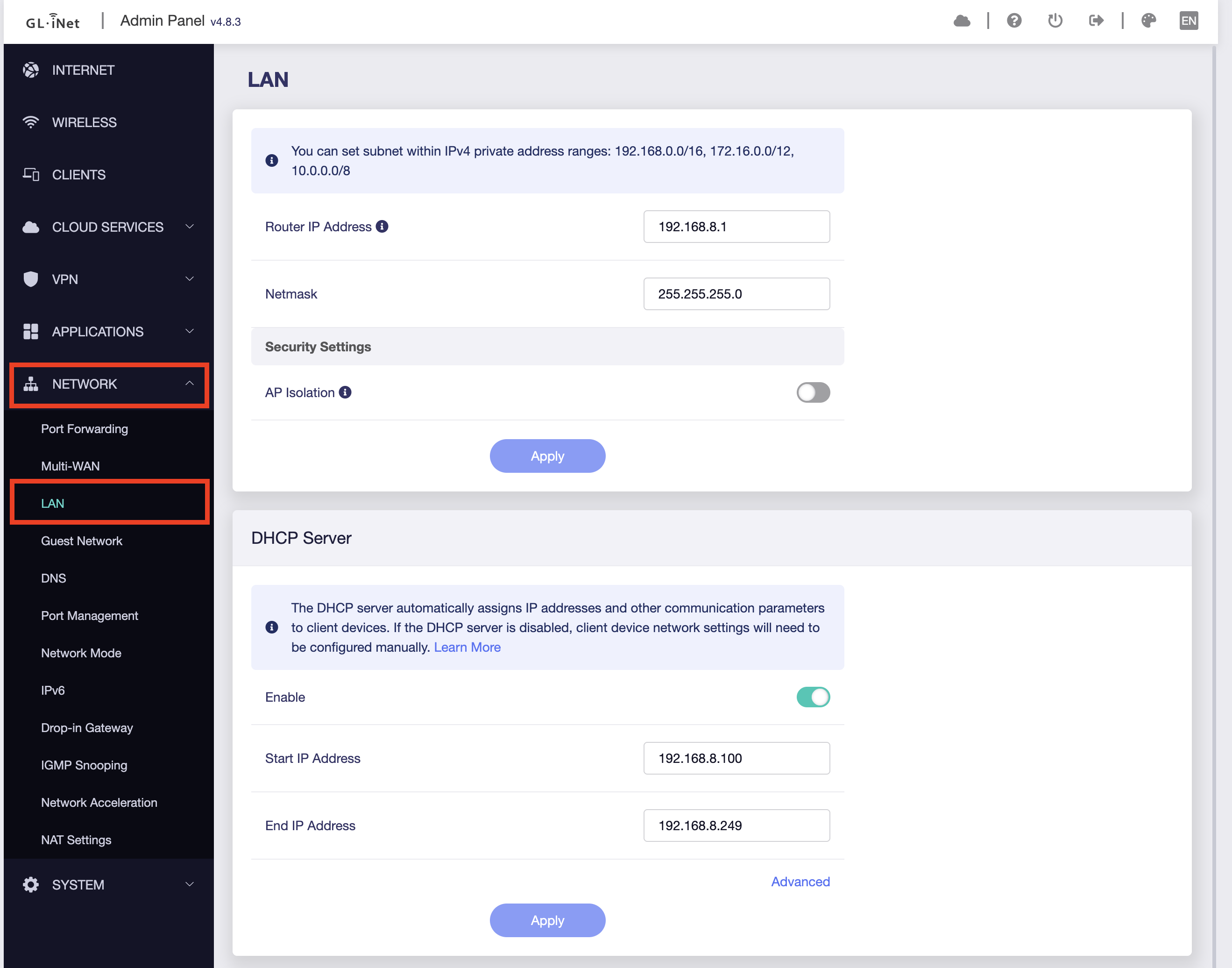
LAN Settings
Configure the following LAN parameters:
| Setting | Value | Description |
|---|---|---|
| Router IP Address | 192.168.8.1 |
Gateway address for the robot network |
| Netmask | 255.255.255.0 |
Provides 254 usable addresses |
DHCP Server Settings
Enable and configure the DHCP server to automatically assign IP addresses:
| Setting | Value | Description |
|---|---|---|
| Enabled | Checked ✅ | Automatically assigns IPs to devices |
| Start IP Address | 192.168.8.100 |
First address in DHCP pool |
| End IP Address | 192.168.8.249 |
Last address in DHCP pool |
| Lease Time | 24 hours (default) | How long devices keep their IP |
DHCP Server
| Setting | Value |
|---|---|
| Enabled | Checked ✅ |
| Start IP Address | 192.168.8.100 |
| End IP Address | 192.168.8.249 |
Configure SSID robot-hackathon-78b09
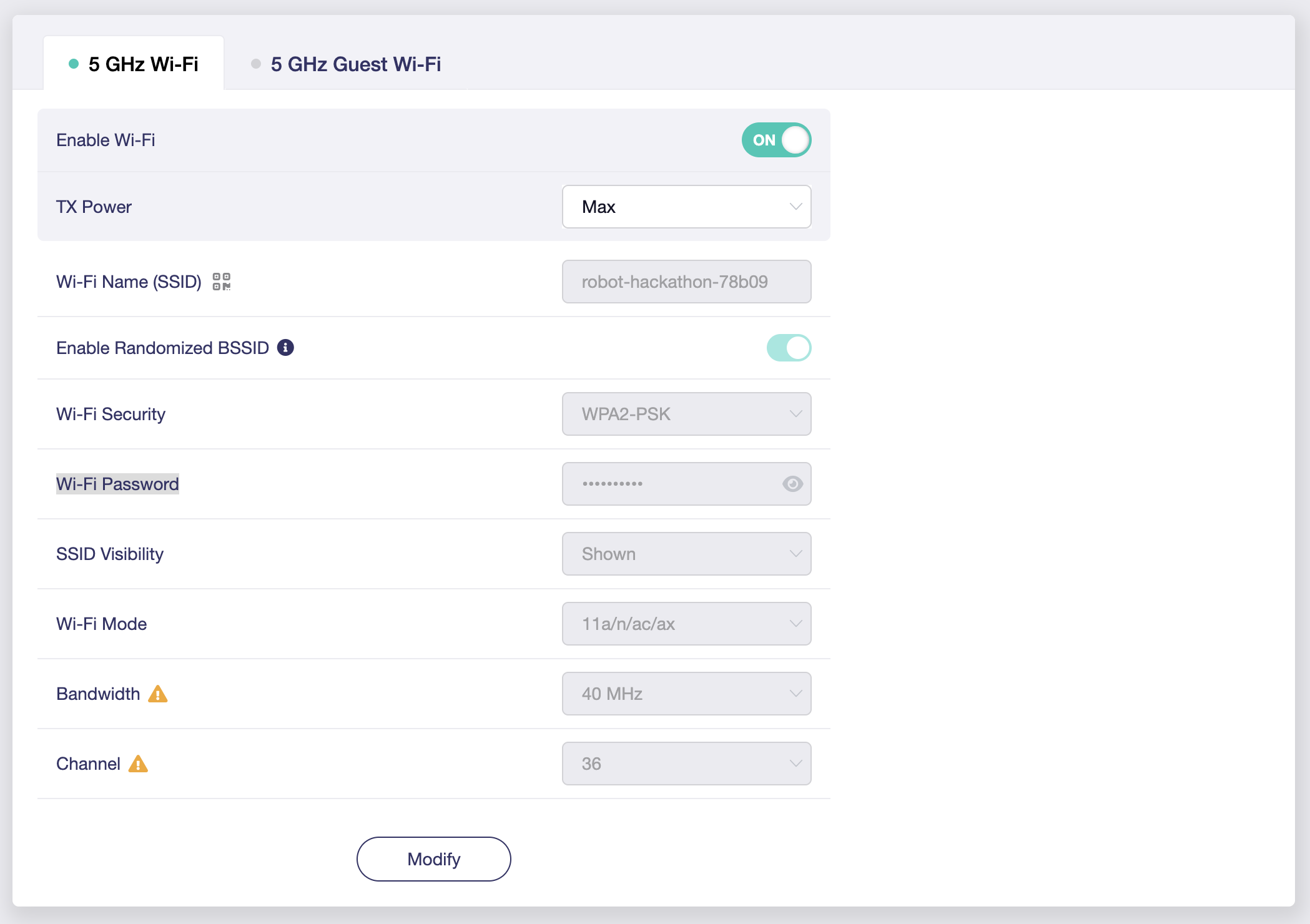
Configure the wireless SSID robot-hackathon-78b09 at the Wireless menu item. Both 2.4 GHz and 5 GHz bands should use the same SSID for seamless device roaming.
Wireless - 5 GHz Wi-Fi
| Setting | Value |
|---|---|
| Enable Wi-Fi | Checked ✅ |
| Wi-Fi Name (SSID) | robot-hackathon-78b09 |
| Wi-Fi Password | Copy from Bitwarden collection Robot Hackathon item Wifi router WPA2-PSK. |
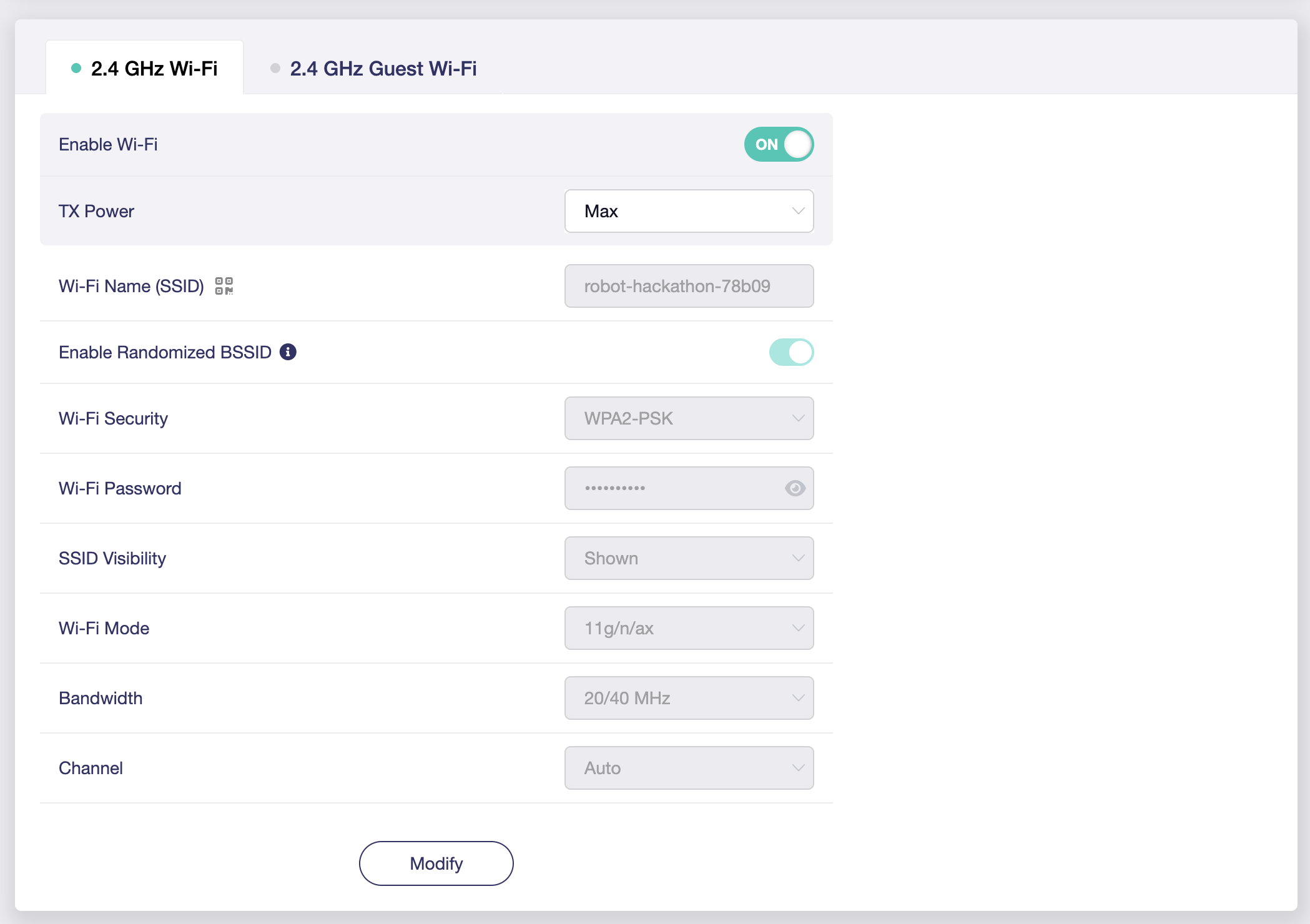
Wireless - 2.4 GHz Wi-Fi
| Setting | Value |
|---|---|
| Enable Wi-Fi | Checked ✅ |
| Wi-Fi Name (SSID) | robot-hackathon-78b09 |
| Wi-Fi Password | Copy from Bitwarden collection Robot Hackathon item Wifi router WPA2-PSK. |